Guide

How to add sound effects to your Shorts with AI

Connect cuttingfloor to the AI you already use (ChatGPT, Claude or Kazi), send your Short and describe the sounds you want: “a whoosh on every cut”, “footsteps on gravel while I walk”. Your agent finds the closest sounds in a free library of about 20,000, lets you hear them in the chat, puts each on its moment and sets its level.

LiveWatch it live now Kazi gives Big Buck Bunny a happier ending.Kazi is one way in: ChatGPT, Claude or any MCP app connects the same way.Free · a few minutes · no sign-up
01 / How

Four steps, all in words.

  1. 01

    Connect your agent once

    Add cuttingfloor to ChatGPT, Claude or Kazi (below). It takes a minute, and you sign in the first time.

  2. 02

    Send your Short

    Attach it in the chat, send a link, or drop it on your upload page. Silent AI clips, a talking video or gameplay all work.

  3. 03

    Describe the sounds and where they go

    Say it the way you’d say it to an editor: “a whoosh on every cut”, “a punch sound when he hits the bag”, “rain on a window under the whole scene”, “an airhorn on the win”. You don’t need a sound’s name; describe how it sounds.

  4. 04

    Listen, pick, then get the file

    Your agent can show the sounds it found in a player in the chat: press play on each, search for another, and pick one. It places your picks on their moments, keeps them under your voice, and exports the Short. Ask for changes in words (“louder boom”, “a different whoosh”).

02 / Say

What to type.

Add sound effects to my Short: a whoosh on every cut, footsteps on gravel while I walk, a big boom when the title comes up and a crowd cheering at the end. Let me hear the boom options first, and keep everything under my voice.
Paste it into your agent, or say it your way
03 / Do it from your agent

ChatGPT, Claude or Kazi.

https://api.cuttingfloor.ai/mcp
  1. 01

    ChatGPT

    chatgpt.com/plugins → + → Add custom MCP server. Paste the address, set Authentication to OAuth (so ChatGPT opens our sign-in). Edit with ChatGPT

  2. 02

    Claude

    Customize → Connectors → + → Add custom connector. Paste the address, then sign in. Edit with Claude

  3. 03

    Kazi

    In Kazi (app.apifunnel.ai), ask it to connect the cuttingfloor MCP server at this address, then sign in. Edit with Kazi

04 / Watch

Real edits, real agents.

  1. Before · 2:20After · 0:14

    Turn a gaming stream into Shorts

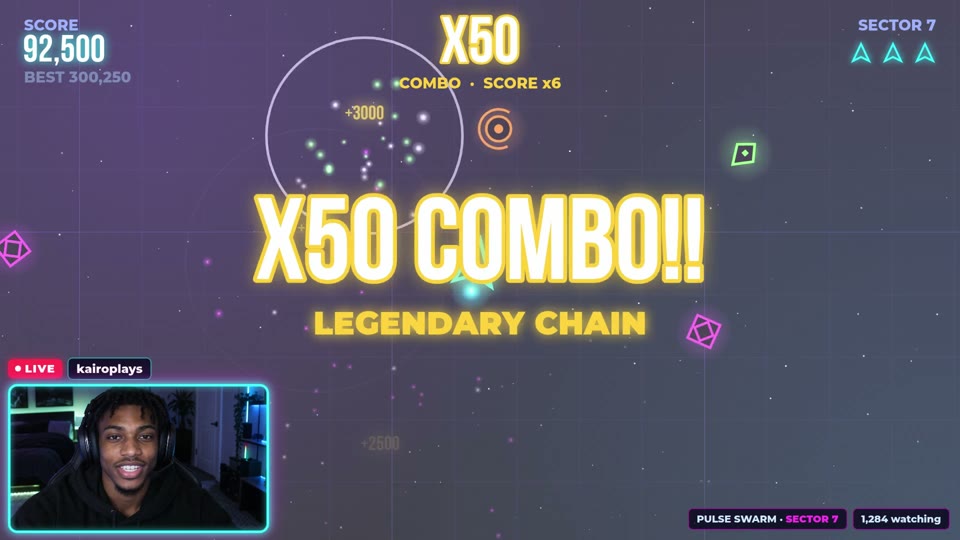
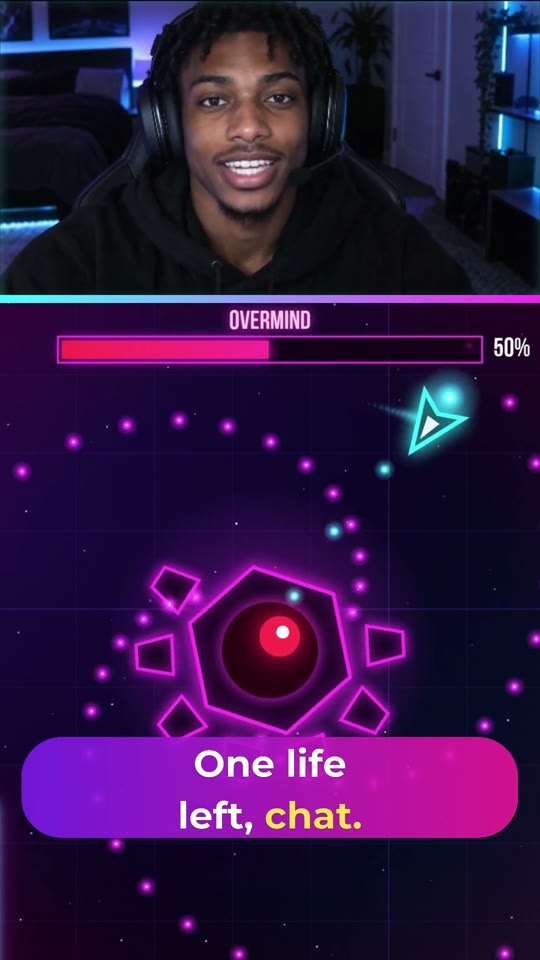
    A streamer asks ChatGPT for a vertical Short from his stream. cuttingfloor opens on his boss win, stacks his facecam over the gameplay, zooms in on the big moments and adds word-by-word captions, meme sound effects and slow-mo replays: three Shorts from one stream.

    ChatGPT · 2:20 → 0:14
05 / Questions

Asked.

Where do the sounds come from?

A sound effects library of about 20,000 sounds that comes with cuttingfloor: real recordings, all CC0 or public domain. They’re free to use in anything you make, with nothing to credit or license.

What kinds of sounds are there?

Footsteps, punches and impacts, whooshes, rain, wind, thunder and other weather, cars and other vehicles, animals, crowds, applause and laughter, doors, glass, weapons and explosions, tools, bells, interface and game sounds, and meme and hype hits like a boom, an airhorn or a record scratch.

Do I need to know what a sound is called?

No. Describe it in plain words (“a giant stomping”, “a door slamming in a big hall”). Your agent finds the closest sounds by their names and by how they actually sound, so a description works even when no sound has those words in its name.

Can I hear a sound before it goes in?

Yes. Your agent can bring up a player in the chat with a play button and a waveform for each sound, a search box and the categories, so you can listen and pick. On a phone, ask “play me that sound” and it comes up as a big play button.

What can I ask for?

“A punch sound on every hit.” “A whoosh when the text flies in.” “A reveal sound when the product shows up.” “Footsteps under the walk.” “City traffic under the whole scene, quiet.” “A record scratch when I stop talking.” “Five options for a boom; let me hear them.”

Will the sounds drown out my voice?

No. Your agent sets each sound’s level and keeps them under your voice or music. If one is too loud or too quiet, say so and it changes just that one.

Is there music in the library?

No, it’s sound effects only. For music, your agent can make some for the video from instruments, fitted to the cuts, or fit your own song under it.

Can I use my own sound files?

Yes. Send them like any other file and your agent places them the same way, next to sounds from the library.