Ask
Then say what you want.
@cuttingfloor Turn this into a 15-second vertical Short with big captions and a hook title.
On its own, ChatGPT can write a script or describe an edit, but it can’t cut your video. Add cuttingfloor as a plugin and it can: ChatGPT imports the video you attach, cuts it, adds captions and music, looks at a preview to check its work, and gives you back a finished MP4.
LiveWatch it live now Kazi gives Big Buck Bunny a happy ending, while you watch.Free · a few minutes · no sign-upOn your phone? ChatGPT adds servers on a computer. Try it now in Kazi, free
Kazi works on your phone and opens with a sample clip, edited on cuttingfloor while you watch.
Or set it up later: Send me the setup
https://api.cuttingfloor.ai/mcpOn your phone? ChatGPT Work adds servers on a computer. Try it now in Kazi, free
Kazi works on your phone and opens with a sample clip, edited on cuttingfloor while you watch.
Or set it up later: Send me the setup
@cuttingfloor cut this into a 30-second vertical clip with captionscodex mcp add cuttingfloor --url https://api.cuttingfloor.ai/mcp
codex mcp login cuttingfloor[mcp_servers.cuttingfloor]
url = "https://api.cuttingfloor.ai/mcp"@cuttingfloor Turn this into a 15-second vertical Short with big captions and a hook title.
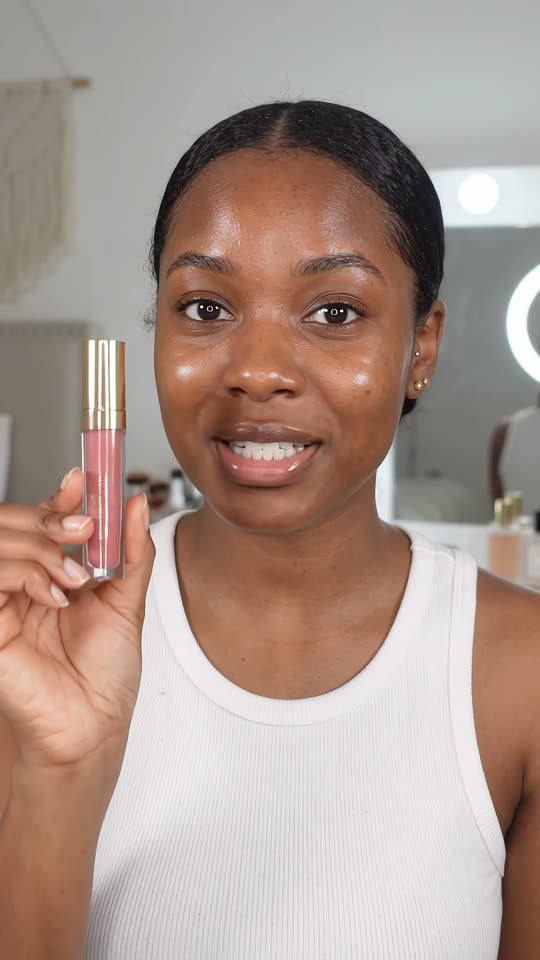 Before · 0:24
 After · 0:15
A beauty creator asks ChatGPT to make a lip gloss review into a Short. cuttingfloor opens on the best line, speeds through the application, pops up callouts as she says them and cuts her out onto a pink end card with the price.
 Before · 0:20
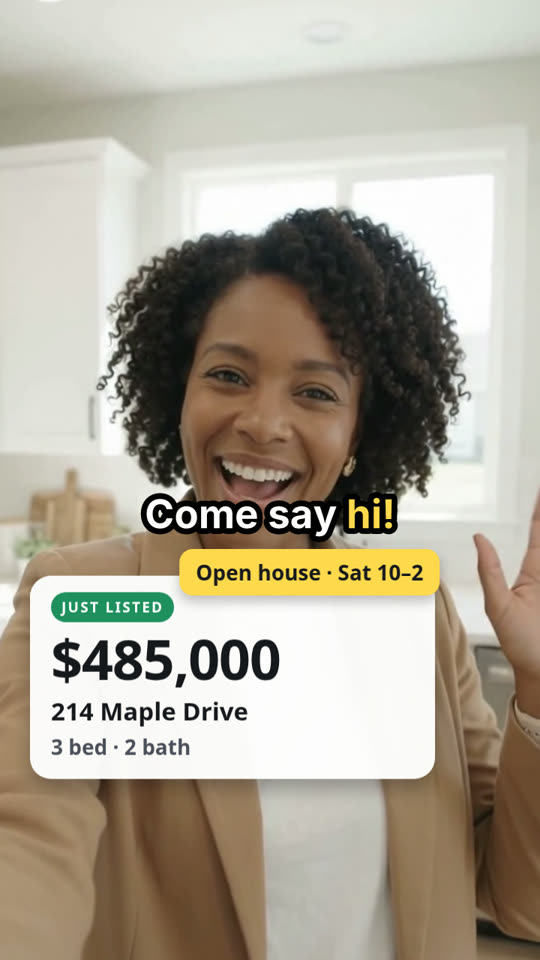 After · 0:14
A realtor asks ChatGPT to cut a wrong address and the dead air from a listing clip, then add captions and a price card. cuttingfloor turns 20 seconds into a 14-second post.
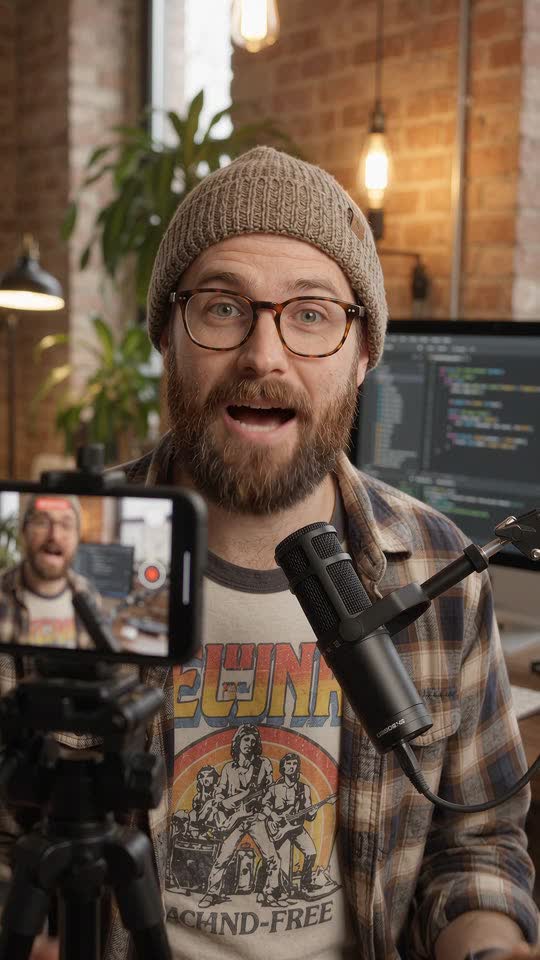 Before · 0:40
 After · 0:10
A tech creator gives ChatGPT four takes of his channel intro. cuttingfloor has Jev, its own vision model, watch every quarter second of each take, keeps the best one, then picks the frame where he looks best for a thumbnail.
Not by itself: ChatGPT can plan an edit and write the script, but it doesn’t cut video. With cuttingfloor added as a plugin it can, because it gets the editing tools: import, cut, caption, mix, preview and export.
Yes. Attach it and type @cuttingfloor with what you want. ChatGPT passes the file to cuttingfloor, and the finished video comes back as a link that plays in any browser.
Adding a custom MCP server is up to OpenAI and your plan. On Business, only admins and owners can create plugins with MCP servers; on Enterprise and Edu, an admin has to allow them first.
Yes, once it’s added. You add plugins on the web or the desktop app, and they work on your phone too.
Start free for 3 days, no card. After that, plans are on the pricing page.
Edit with Kazi · Edit with Claude · Every other app · All demos